You get an email that feels off, and you can’t put your finger on why. It’s an urgent message from your boss, or your boss’s boss. The layout is familiar, the language is on point, and the sender’s name checks out.
The campaign
We ran an insider threat scenario, testing how resilient we are to sophisticated phishing attacks that appear to come from within.
We built a campaign designed to look like it came from trusted people inside the company.
Here’s the play-by-play.
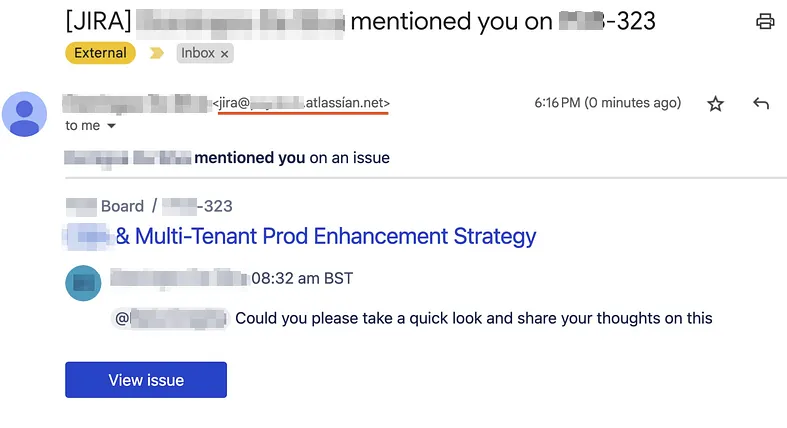
- Fake Jira Notification: The email looked like a legit notification from one of our Jira boards, a tool most of us use regularly.
- Trustworthy Names: We made sure the sender looked like someone with authority. When your boss emails you, you click.
- Tricky Links: Clicking the link took you to a “login page” that looked just like Okta’s, our real login portal. The route was wrong for our actual setup.
- Doppelganger Domains: Instead of the real deal, we used “punycode” domains like
atlassían.netandoktà.com, subtle character swaps that only the eagle-eyed would catch.
What gave the phishing away
This is exactly the kind of phishing technique real attackers use. There were clear signs something wasn’t right.
1. The Odd Okta Login (When You Didn’t Need It)
If you clicked a Jira notification and were suddenly asked to log in to Okta, pause. In our environment, Jira doesn’t use Okta. You should never need to log in to Okta just to see a Jira issue.
Lesson: If a login prompt feels out of place, it probably is.
2. Link Sleight of Hand
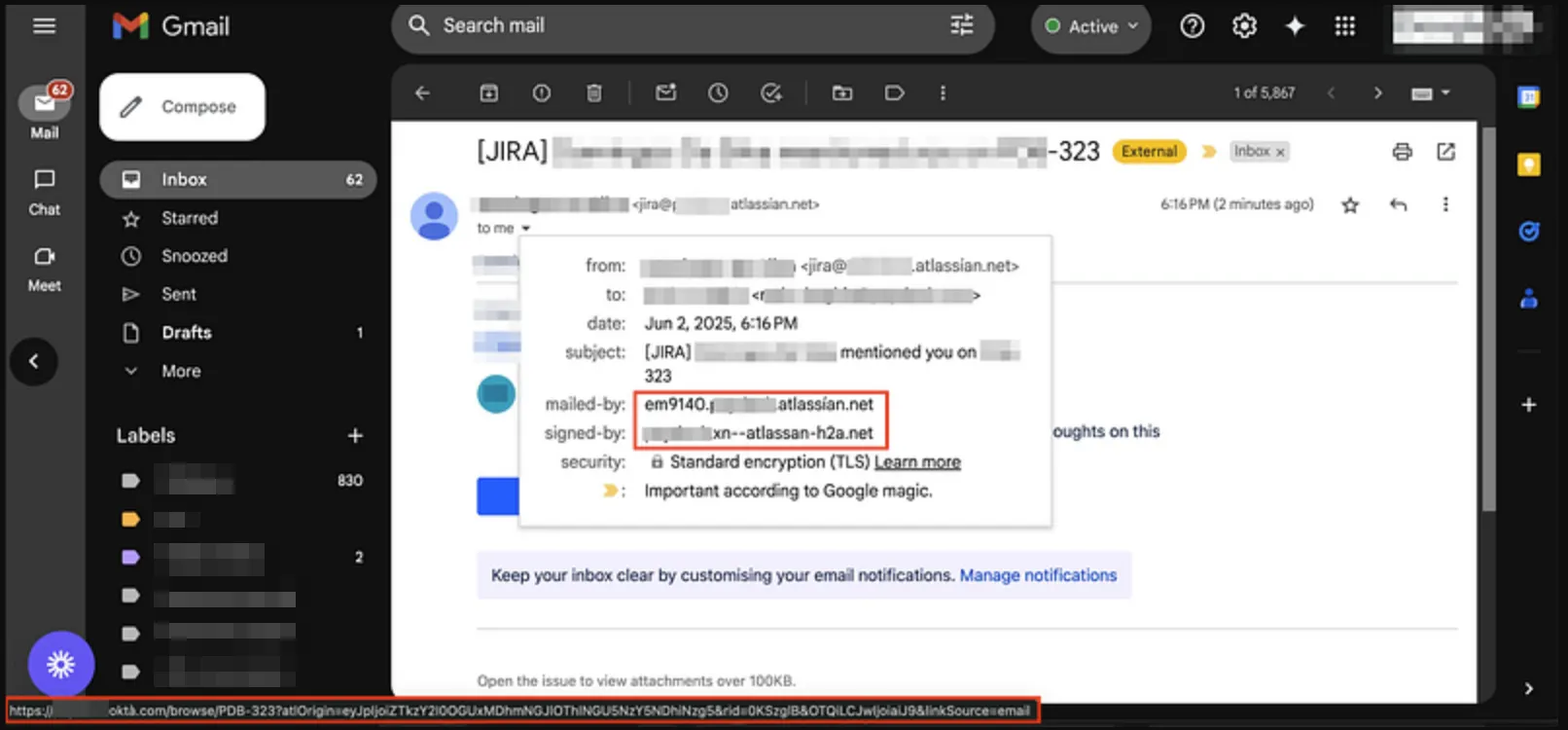
Before you click, hover. The “View issue” link wasn’t taking you to the real Jira site or Atlassian. The domain name looked close, but close only counts in horseshoes and hand grenades.
Lesson: If a link looks even a pixel off, don’t click. Check, verify, and when in doubt, visit the real site by typing it yourself. Some people did, and they get credit for it.
What to check before you click
Any email could be carrying an attack. Here’s the checklist.
- Question Weird Workflows: Login prompts where there shouldn’t be any are a red flag.
- Hover, Don’t Click: Use a tool like urlscan.io or browserling to check where a link actually leads.
- Be Direct: Unsure about an email? Go straight to the service using your browser. Don’t trust the shortcut.
- Ask for Backup: If something smells phishy, ping IT or Security. No question is silly when your data’s at stake.
What this exercise is for
If you flagged the phishing attempt, that’s the vigilance we want to see.
If you fell for it, don’t sweat it. No one’s getting detention. These exercises aren’t about “gotcha.” They help everyone sharpen their sixth sense for security, together.
Security means learning from mistakes and making our digital home safer for everyone.
Building a tool to check suspicious emails automatically
Even a well-trained team can be caught off guard by a convincing email. Not everyone has the time to analyse suspicious messages line by line.
So I built a solution.
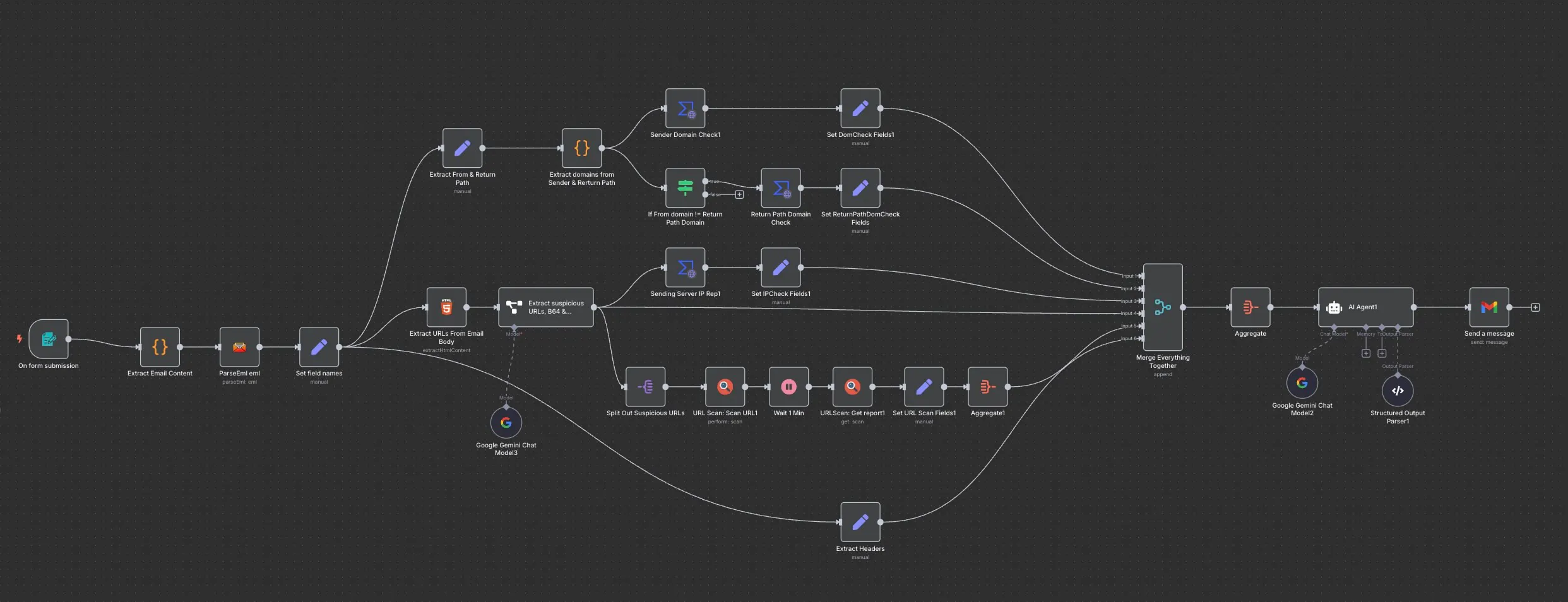
Our internal Suspicious Email Analyzer runs on n8n, VirusTotal, URLScan, and GenAI.
Here’s what it does.
- Parses
.emlfiles and extracts key artifacts: sender server IP, sender domain/email address, full headers, any suspicious URLs embedded in the HTML body, and any Base64-encoded strings - Runs checks on these artifacts using VirusTotal and URLscan.io
- Combines those results with an analysis of the email headers and sends everything to the LLM node to produce a report, which is then delivered to the end user’s inbox
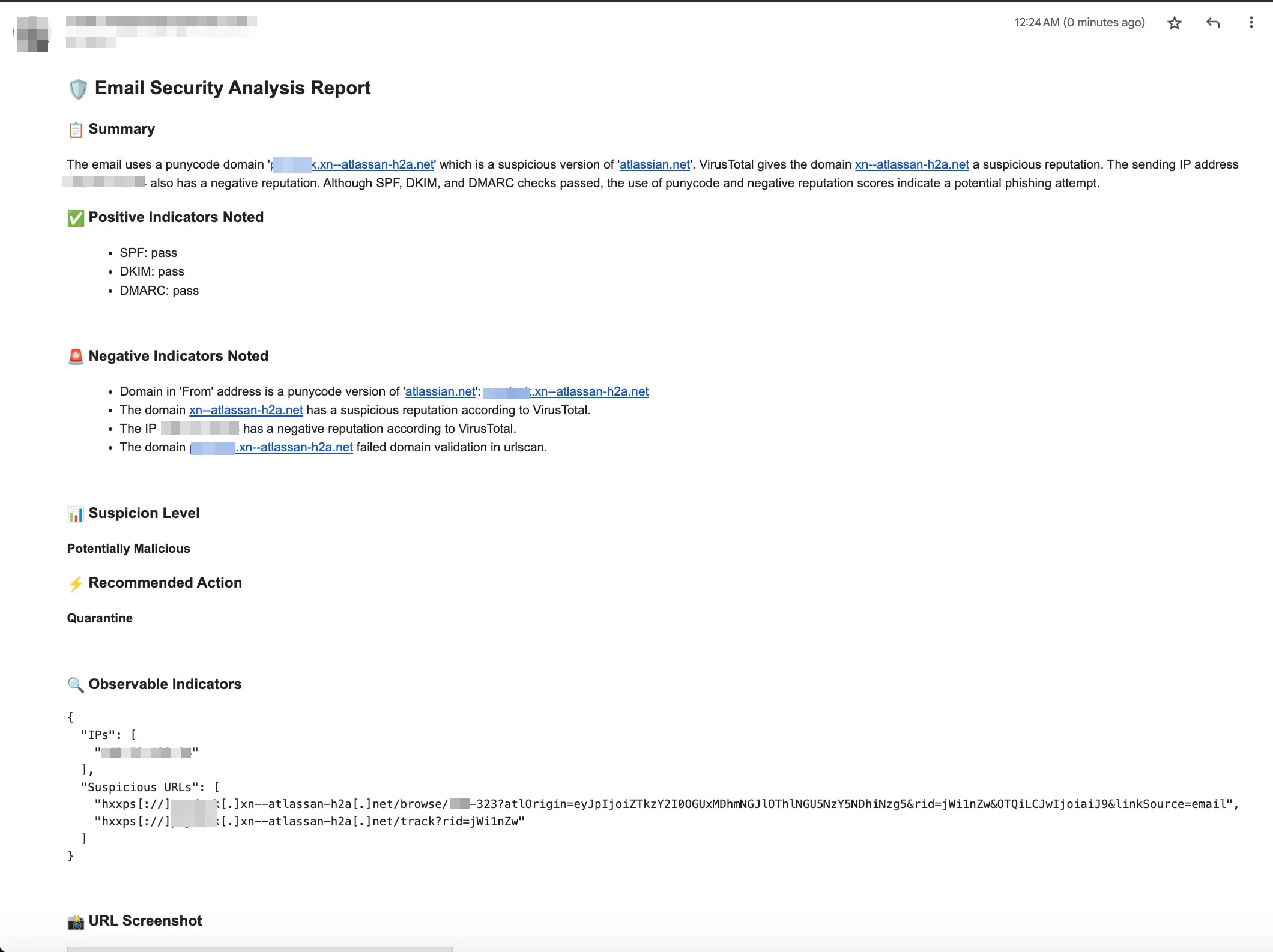
To test it, I submitted an actual email from the phishing campaign above for analysis. Here’s how it did.